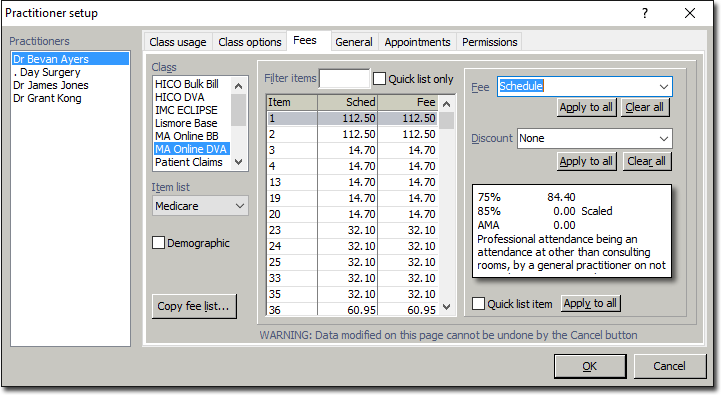
Fee Discounts can be entered as follows:
For no discount, enter 'None'.
For a discount calculated on the net amount, 'N' must be the first character and that the value be a valid number. Up to 2 decimal places are permitted. This can be entered as one of the following:
Net x 10%
N10.45%
N10.75
For a discount calculated on the schedule amount, 'N' must be the first character and that the value be a valid number. Up to 2 decimal places are permitted. This can be entered as one of the following:
Schedule x 10%
S10.45%
S10.75
This field is not case sensitive and the percentage sign is not required. Spaces will automatically be removed.
Once the field is validated, a textural representation of the discount will be displayed when you click in the fee grid. For example:
Schedule x 10.45%
Net x 10.75%