Information for Large Practices About Bulk Billing
Setup
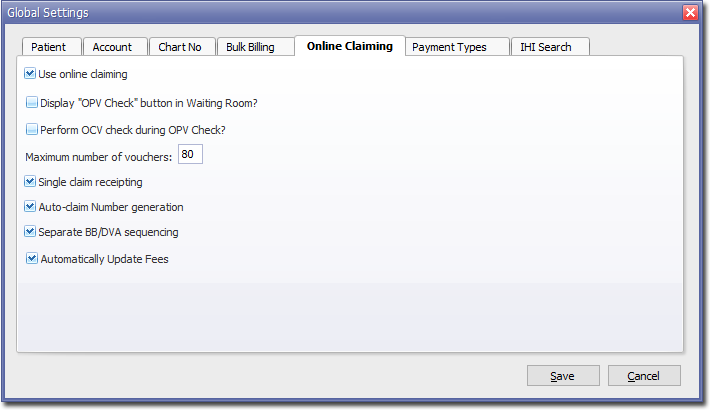
To enable Medicare Easyclaim, follow the standard steps. However, at Step 1 on the EFTPOS/Medicare Easyclaim window, you must also enable the Display OPV/OCV Check Button in Waiting Room check box. The remaining bulk-bill voucher functions are optional.
Process for Bulk-Bill Practices
Patient presents to Reception and OPV/OCV cheque is performed.
Administrative staff print a DB4 form and attach it to the patient's file.
Patient has consultation with the Practitioner who fills in the DB4 form and has the patient sign.
Administrative staff collect DB4 Forms and process claim through Medicare Easyclaim at a later time.